Leave your physical SIMs at home. Roam free anywhere in the world.
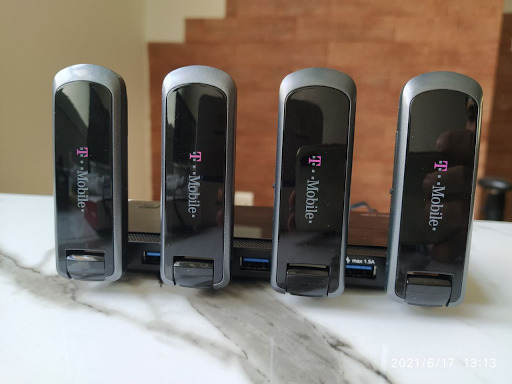
Say goodbye to expensive international roaming surcharges. RemoSIM connects your physical SIM cards to a Raspberry Pi using Huawei USB dongles and Asterisk PBX—delivering your SMS/2FA codes instantly to Telegram and streaming phone calls directly to your browser softphone or smartphone.
Zero International Roaming
Keep your primary physical SIM cards active at domestic rates back home. Travel or relocate worldwide without paying predatory daily roaming passes.
Instant Telegram 2FA & Alerts
Never get locked out of your bank accounts, government portals, or email services. Incoming SMS verification codes and missed call alerts land directly in your private Telegram chat.
WebRTC Browser Softphone
Make and receive phone calls directly from any web browser using our modern SIP.js client. No complicated app installation required on desktop.
Mobile SIP Client Support
Connect your smartphone over Wi-Fi/4G using native SIP clients or popular apps like SessionTalk and Zoiper. Answer incoming calls as if you were back home.
Multi-SIM Scalability
Manage multiple SIM cards on a single Raspberry Pi. Distribute separate numbers to distinct family members or businesses with dedicated Telegram routing.
Auto-Healing & Reliability
Automated health-check scripts monitor USB modem states, automatically recover dropped dongles via AT commands, and reboot gracefully if connectivity fails.
How to Get Started
Three clear steps from parts to remote cellular connectivity
Hardware Selection
Assemble your Raspberry Pi 4, compatible Huawei USB dongles (E173/E1750/E3531), and a certified VL812 chipset powered USB hub.
View Hardware Guide →Server Installation
Follow our 6-phase guide to install Asterisk, compile chan_dongle, configure dialplans, and deploy the Telegram SMS bot.
Connect & Dial
Dial out via WebRTC right in your web browser, or configure SessionTalk/Zoiper on iOS and Android to receive calls anywhere.
Open Web Softphone →